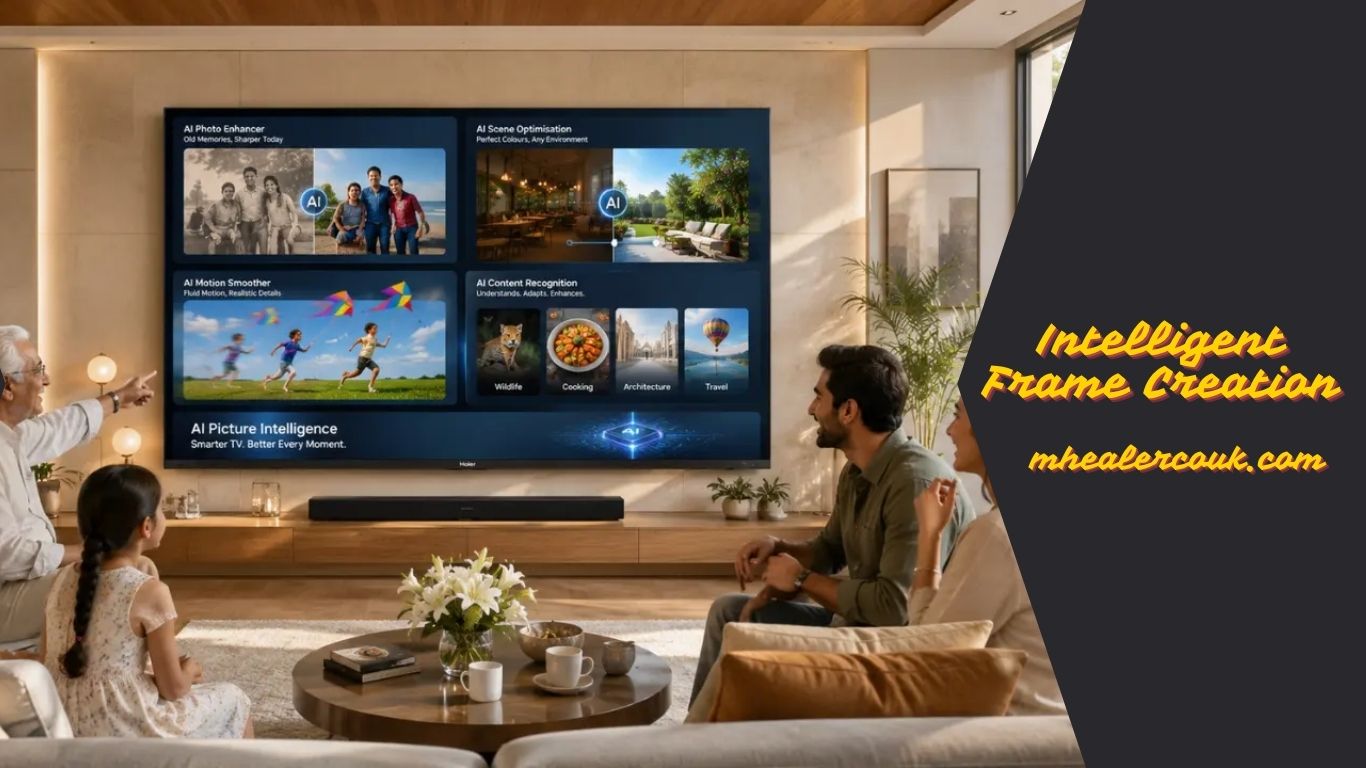
Intelligent Frame Creation: How AI Makes TV Motion Smoother
If you have ever watched a fast-moving football game, an action movie, or played a console game on a modern TV, you may have noticed that motion sometimes looks smoother on one television than another. That improvement often comes from a technology called intelligent frame creation.
Intelligent frame creation uses artificial intelligence (AI) and advanced motion processing to create additional frames between the original video frames. The goal is simple: reduce motion blur, improve clarity, and make fast-moving scenes appear smoother. Instead of only displaying the frames included in the original video, the TV predicts how objects move and generates new intermediate frames in real time. Modern implementations rely on AI-assisted motion estimation, making them more accurate than older motion interpolation systems.
Today, intelligent frame creation is found in many premium and mid-range televisions. Whether you watch sports, stream movies, or play games, understanding this feature helps you decide when to enable it and when to turn it off.
This complete guide explains how intelligent frame creation works, its benefits, drawbacks, gaming performance, compatibility with different TV technologies, and the best settings for different types of content.
What Is Intelligent Frame Creation?
Intelligent frame creation is an AI-powered motion enhancement technology that creates additional video frames between existing ones to make motion appear smoother.
For example, if a movie is recorded at 24 frames per second (FPS), your television analyzes two consecutive frames and predicts what should appear between them. It then inserts one or more new frames before displaying the final image.
Unlike older systems that relied mostly on simple mathematical calculations, today’s AI-assisted frame creation analyzes object movement, camera motion, scene depth, and motion vectors to generate more natural-looking intermediate frames.
Its primary purpose is to improve:
- Motion smoothness
- Object clarity
- Camera panning
- Fast-moving scenes
- Sports broadcasts
- Live television
- Gaming visuals
Although different manufacturers use different names, the underlying technology is based on AI-powered frame interpolation.
How Intelligent Frame Creation Works
At first glance, the process seems simple, but it involves billions of calculations every second.
Understanding Motion Interpolation
Every video is made up of individual images called frames. When these frames are displayed rapidly, your eyes perceive continuous motion.
Intelligent frame creation analyzes the movement between two original frames and predicts where every object should appear in the next moment. It then generates a completely new frame to fill that gap.
For example:
- Original video: 24 FPS
- AI-generated output: Up to 60 FPS or higher (depending on the TV)
The original video is not changed. Instead, the television creates additional visual information during playback.
How AI Predicts Motion
Modern processors use AI to recognize:
Also Read:Adultsrach: A Complete Overview of the Next Generation Search Experience
- Human movement
- Vehicles
- Sports equipment
- Camera movement
- Background objects
- Foreground objects
Rather than treating the entire screen as one image, AI analyzes multiple areas separately, allowing more accurate motion prediction.
How New Frames Are Generated
After analyzing motion, the processor estimates where each object should appear between two real frames.
The TV then creates:
- Intermediate frames
- Smoother transitions
- Reduced judder
- Better motion clarity
This process happens instantly while you watch TV, requiring powerful image-processing hardware.
Benefits of Intelligent Frame Creation
One reason intelligent frame creation has become so popular is that it improves the viewing experience across many types of content.
Smoother Motion
The biggest advantage is smoother movement. Fast scenes become easier to follow without appearing choppy.
Reduced Motion Blur
Sports, racing events, and action movies often contain rapid movement. AI-generated frames reduce visible blur during these scenes.
Better Camera Panning
Wide landscape shots and fast camera pans often create noticeable judder. Intelligent frame creation minimizes this effect.
Improved Viewing on Large TVs
Motion imperfections become more noticeable as screen sizes increase. Intelligent frame creation helps large displays maintain smooth playback.
Better Overall Picture Comfort
Although it does not improve resolution or brightness, smoother motion often makes long viewing sessions feel more comfortable.
Intelligent Frame Creation for Gaming
Gaming places different demands on a television than movies or TV shows.
Casual Gaming
Single-player games such as adventure, racing, simulation, and open-world titles often benefit from intelligent frame creation because smoother movement makes gameplay feel more immersive.
Competitive Gaming
Professional and competitive gamers usually disable this feature.
Why?
Generating additional frames takes extra processing time, which can increase input lag. Even a small delay between pressing a controller button and seeing the action on screen can affect competitive performance.
For multiplayer shooters, fighting games, and esports titles, Game Mode is generally the better choice because it reduces processing delays.
Console Gaming
Modern consoles already support higher frame rates in many games. Intelligent frame creation may improve lower-frame-rate titles, but native high-FPS gameplay usually delivers the best responsiveness.
Intelligent Frame Creation for Movies
Most movies are filmed at 24 FPS to create the traditional cinematic appearance.
When intelligent frame creation is enabled, movies often become much smoother.
Some viewers enjoy this because motion looks fluid and sharp.
Others dislike it because it creates the well-known soap opera effect, where films resemble live television instead of traditional cinema. This effect remains one of the most debated aspects of motion interpolation.
Many TVs allow users to choose Low, Medium, or High settings so they can balance smoothness with the original cinematic look.
Intelligent Frame Creation for Sports
Sports are one of the best use cases for intelligent frame creation.
Fast-moving objects become easier to track, including:
- Footballs
- Basketballs
- Tennis balls
- Hockey pucks
- Racing cars
Rapid camera movements also appear much smoother, helping viewers follow the action more comfortably.
For most sports fans, enabling intelligent frame creation significantly improves the viewing experience.
Intelligent Frame Creation for Live TV and Streaming Services
Live television generally contains constant movement from cameras and presenters.
Programs that benefit include:
- News
- Reality shows
- Talk shows
- Concerts
- Award ceremonies
- Wildlife documentaries
Streaming services also benefit, especially when watching 4K content with fast motion.
However, the final result still depends on:
- Original video quality
- Internet speed
- TV processor
- Streaming bitrate
Higher-quality video provides more accurate AI frame generation.
Intelligent Frame Creation on Different TV Technologies
Different television technologies respond differently to intelligent frame creation.
OLED TVs
OLED displays already offer excellent pixel response times.
Intelligent frame creation mainly improves motion smoothness rather than reducing blur.
Many OLED users prefer the Low setting for the most natural appearance.
Mini-LED TVs
Mini-LED televisions usually include powerful AI processors.
Also Read:Sparkpressfusion Com: The Complete Guide to Smarter Content Management
These processors handle complex motion more accurately, making intelligent frame creation particularly effective during sports and action scenes.
8K TVs
Premium 8K televisions combine intelligent frame creation with AI upscaling, scene recognition, and advanced image processing.
The additional processing power allows smoother motion while minimizing visual artifacts.
Intelligent Frame Creation vs Native High Frame Rate
Many people confuse intelligent frame creation with native high frame rate video.
The two technologies are different.
Native high frame rate content is recorded using cameras that capture more frames every second.
Examples include:
- 60 FPS
- 120 FPS
Intelligent frame creation does not increase the source frame rate.
Instead, it predicts and creates artificial intermediate frames.
Intelligent Frame Creation and Refresh Rate
Refresh rate refers to how often a television refreshes its display.
Common refresh rates include:
- 60 Hz
- 120 Hz
- 144 Hz
Higher refresh rates allow TVs to display more generated frames, resulting in smoother motion.
Does Intelligent Frame Creation Increase FPS?
Not technically.
The original video still contains the same number of frames.
However, the television displays additional AI-generated frames, making motion appear as if the frame rate has increased.
Common Problems with Intelligent Frame Creation
Although intelligent frame creation has improved significantly, it still has limitations.
Soap Opera Effect
Movies may appear overly smooth, reducing the traditional cinematic feel.
Motion Artifacts
Incorrect AI predictions can sometimes create:
- Ghosting
- Warping
- Edge distortion
- Flickering
Modern AI processors reduce these issues, but they can still occur during very complex scenes.
Increased Input Lag
Extra processing can slightly delay controller response during gaming.
Personal Preference
Some viewers simply prefer the original frame rate because it preserves the director’s intended presentation.
When Should You Turn Intelligent Frame Creation On or Off?
Enable intelligent frame creation for:
- Sports
- Live TV
- Documentaries
- Animation
- Casual gaming
- Travel videos
Disable it for:
- Competitive gaming
- Movies if you dislike the soap opera effect
- Older films
- Content where preserving the original frame rate is important
There is no single correct setting. The best choice depends on what you are watching.
How to Adjust Intelligent Frame Creation Settings
Most smart TVs allow users to customize motion processing.
Typical settings include:
- Off
- Low
- Medium
- High
- Auto
For most users:
- Low works best for movies.
- Medium works well for sports.
- Game Mode is best for competitive gaming.
- Auto is suitable for general television viewing.
Testing different settings with your favorite content is the easiest way to find the ideal balance.
TV Brands That Use Similar Motion Technologies
Although the names differ, many television manufacturers offer similar motion-enhancement features.
Common branding includes:
- Intelligent Frame Creation
- MotionFlow
- TruMotion
- Auto Motion Plus
- Motion Xcelerator
- Smooth Motion
- AI Motion Enhancement
Regardless of the name, these systems all aim to improve motion by generating or optimizing intermediate frames.
Is Intelligent Frame Creation Worth Using?
For most households, yes.
If you regularly watch sports, live television, or streaming content, intelligent frame creation can noticeably improve motion quality.
If you primarily watch movies or play competitive games, you may prefer turning it off or selecting a lower setting.
Because modern televisions allow quick adjustments, you can easily switch between different modes depending on the content.
Future of Intelligent Frame Creation
Artificial intelligence continues to improve rapidly.
Future intelligent frame creation systems are expected to deliver:
- Better object recognition
- More realistic motion prediction
- Lower input lag
- Fewer motion artifacts
- Personalized AI picture settings
- Improved support for 8K and future display technologies
As AI processors become more powerful, intelligent frame creation will continue producing smoother and more natural-looking motion.
Expert Tips for Getting the Best Results
To get the best experience:
Also Read:Renvoit Com: Complete Guide to the Multi-Niche Knowledge Platform
- Use high-quality 4K or HD content whenever possible.
- Update your TV’s firmware regularly.
- Start with the Low motion setting before increasing it.
- Use Game Mode for competitive gaming.
- Enable intelligent frame creation for sports and live TV.
- Test different settings for movies to reduce the soap opera effect.
- Pair the feature with a TV that has a native 120 Hz refresh rate if available.
These small adjustments can significantly improve everyday viewing.
Frequently Asked Questions
Can intelligent frame creation improve old videos?
Yes. It can make older videos appear smoother, although it cannot restore missing detail or increase the original resolution.
Does intelligent frame creation work with HDR content?
Yes. Most modern TVs support intelligent frame creation while displaying HDR content.
Will intelligent frame creation increase electricity usage?
The additional processing requires some extra power, but the difference is generally small.
Can I use different settings for gaming and movies?
Many smart TVs allow separate picture settings for HDMI inputs, streaming apps, and live TV, making it easy to customize the experience.
Is intelligent frame creation available on every smart TV?
No. It is most commonly found on mid-range and premium television models.
Can intelligent frame creation damage my TV?
No. It is simply a picture-processing feature and does not harm the television.
Why does intelligent frame creation sometimes create strange-looking images?
When scenes contain extremely fast movement or complex backgrounds, the AI may incorrectly predict object positions, leading to temporary visual artifacts.
Is intelligent frame creation the same as AI video upscaling?
No. AI upscaling improves image resolution, while intelligent frame creation improves motion by generating additional frames.
Conclusion
Intelligent frame creation has become one of the most valuable AI-powered features available in modern televisions. By intelligently generating intermediate frames, it reduces motion blur, smooths fast-moving scenes, and enhances the viewing experience for sports, live TV, streaming services, and many video games.
While it is not perfect—especially for movie enthusiasts who prefer the original cinematic look or competitive gamers who want the lowest possible input lag—it remains a powerful tool when used appropriately. The best approach is to adjust the settings based on the type of content you are watching. With continual advances in artificial intelligence and display processing, intelligent frame creation is expected to become even more accurate, delivering smoother motion with fewer artifacts and a more natural viewing experience in the years ahead.